

The “Numbers” tab shows details about your current investment.
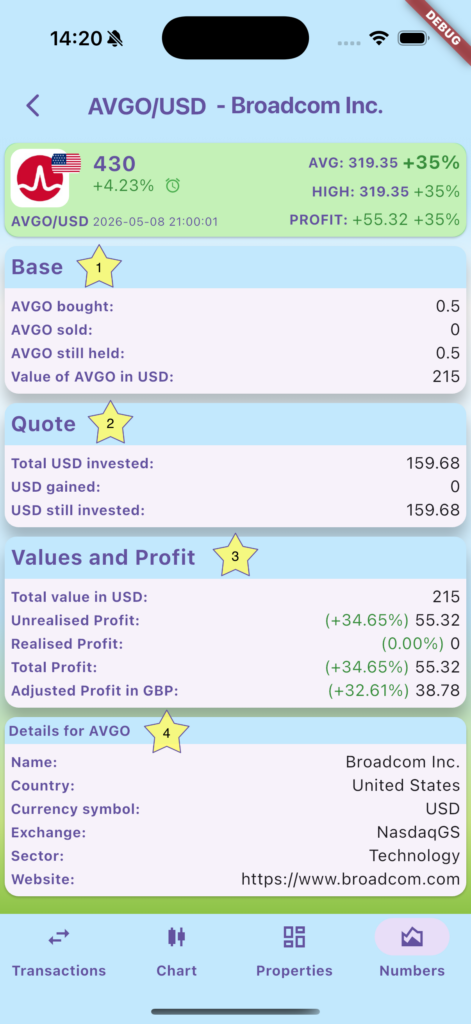
1) Base currency: How much you bought, how much you already sold, and how much you currently hold, as well as its current value in the quote currency (here USD)
2) Quote currency: How much you have invested, how much you have gained back from selling the asset, and how much you still have invested. Here we have not sold any AVGO yet, so these numbers are identical.
3) Values and profit: The current total value of your investment, how much is still unrealised (i.e. the value of the assets you hold), how much you have realised by selling part of the asset, and how much both are in total. If your home currency is different from the quote currency, it also shows and adjusted profit, taking into account the exchange rates between your home currency and the quote currency at the times you bought the asset (it uses the daily close price of the relevant forex pair (i.e. here GBP/USD) on the day you made each transaction).
4) Details of the asset: Depending on which asset class it is and what data is available from online data sources, it will show different information here.